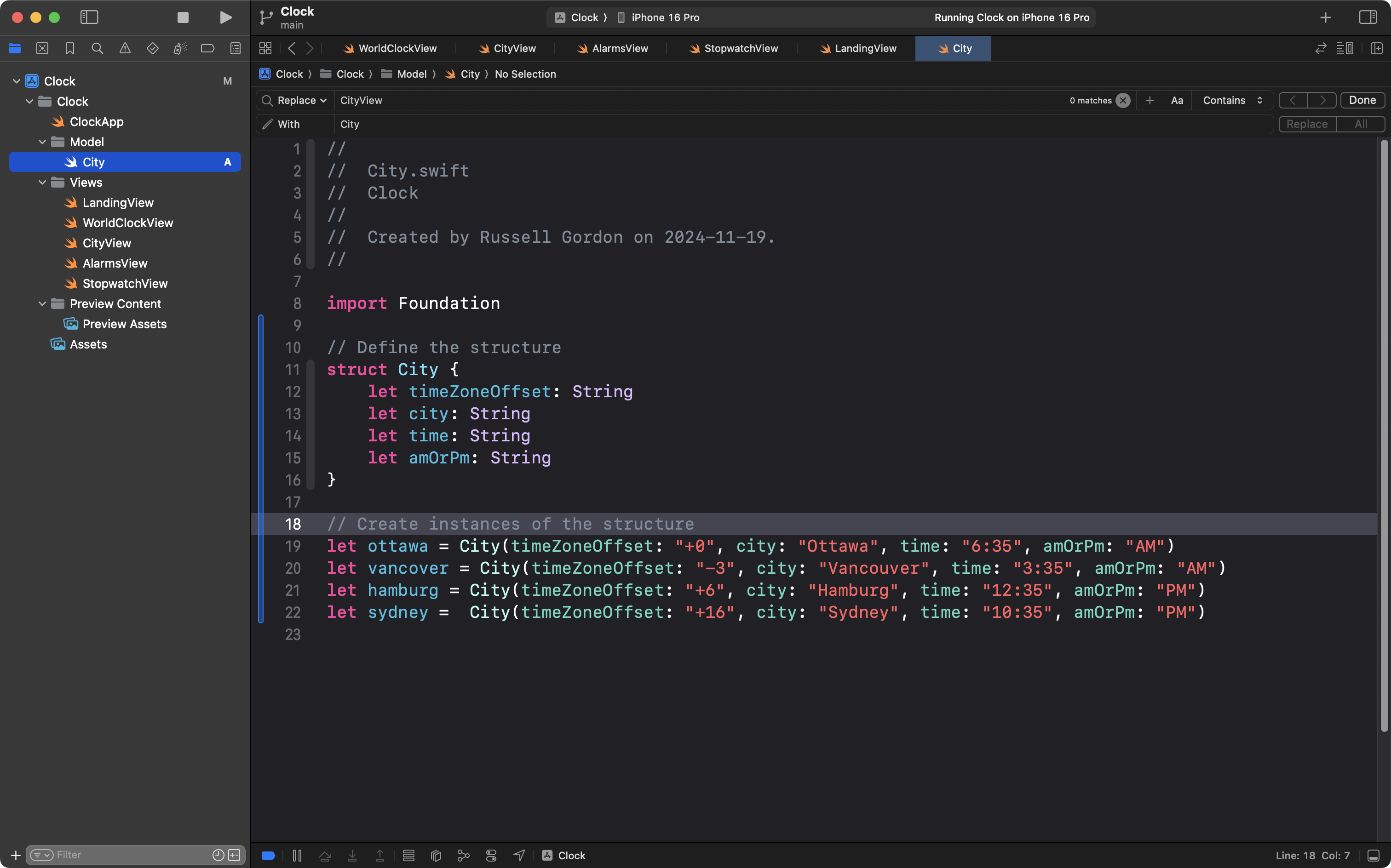
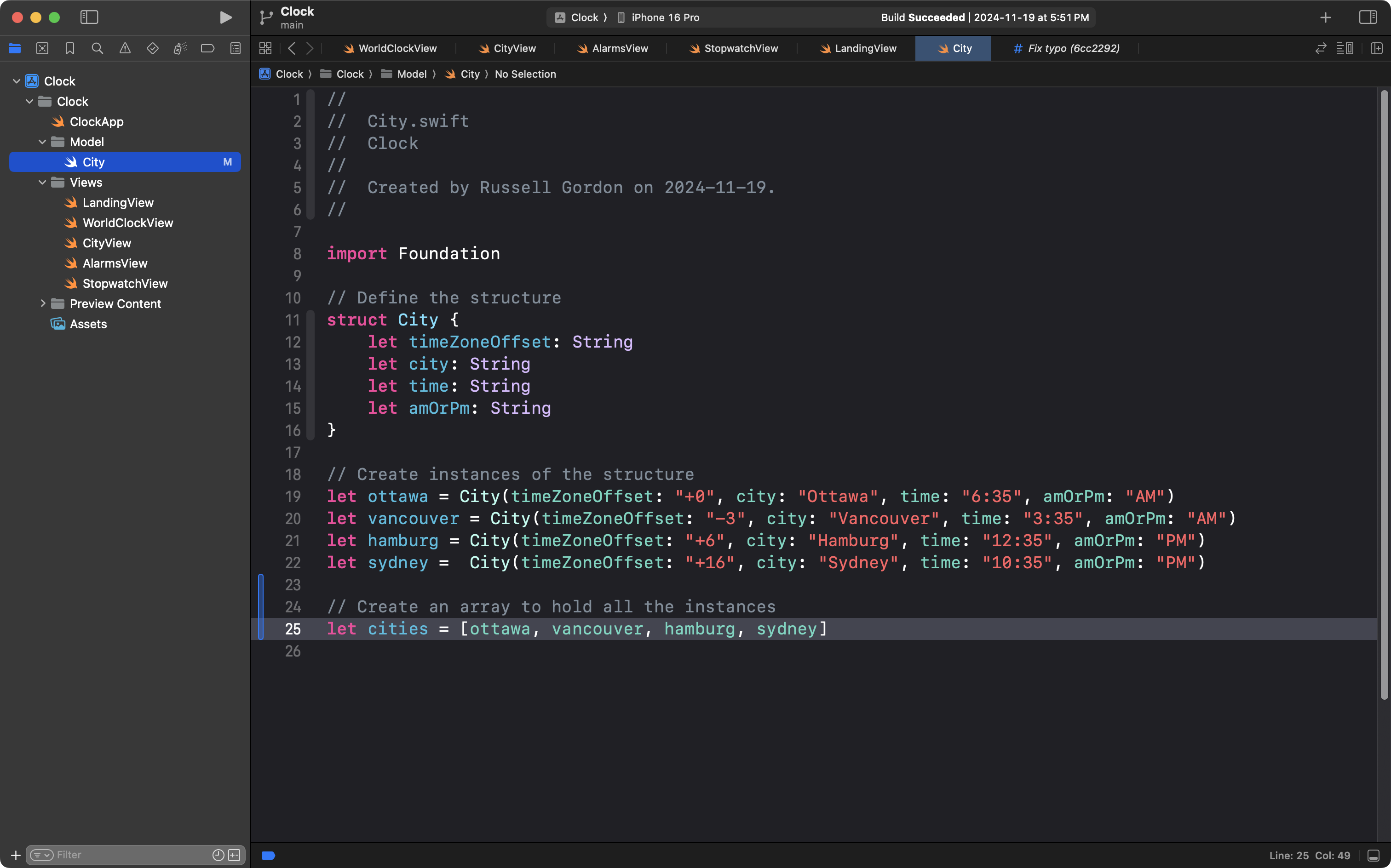
When we create a structure to group related information, and create several instances of that structure:
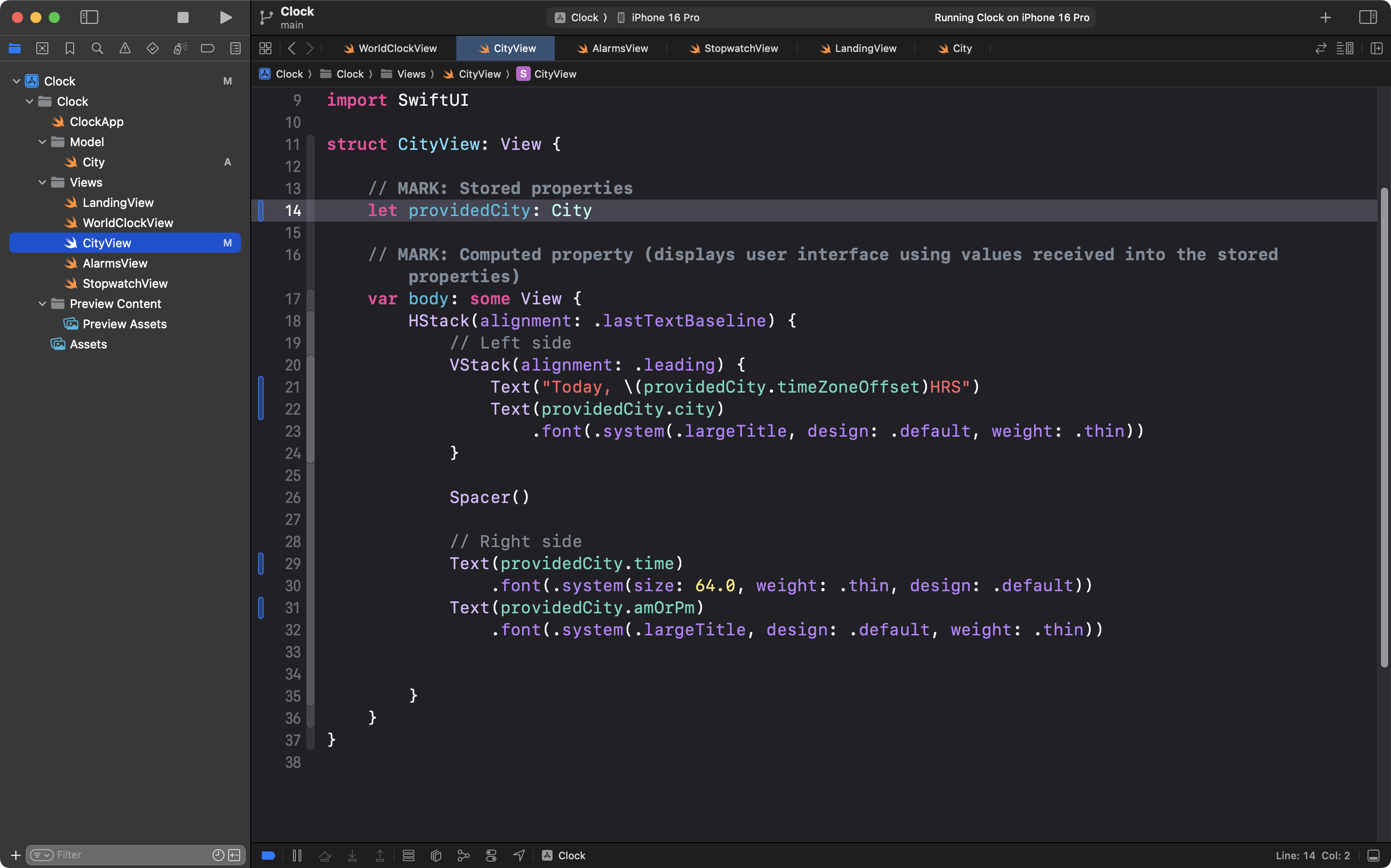
Then when we create a helper view, and make it accept an instance of that structure:
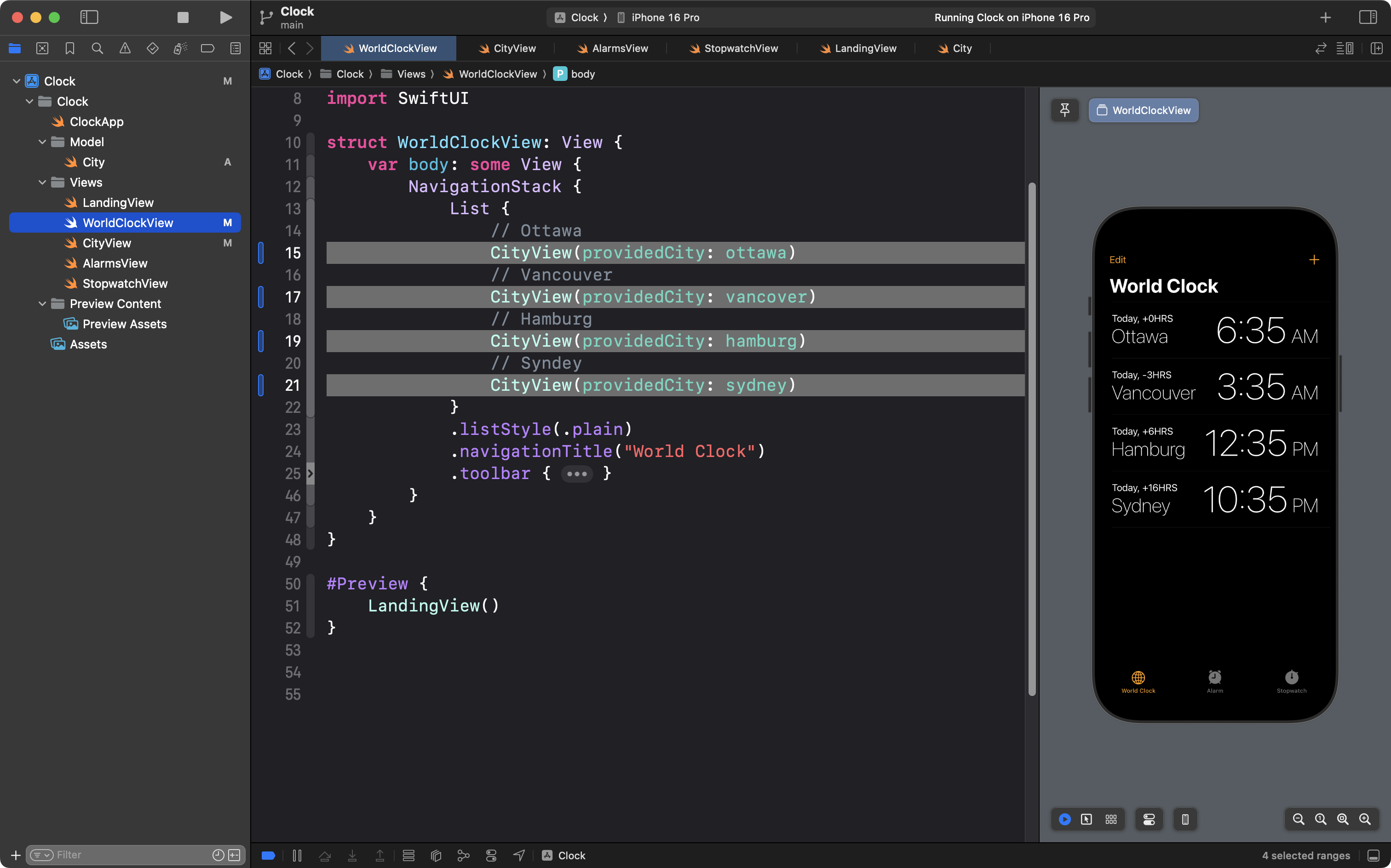
And finally when we pass multiple instances of that structure to (in this case) create four instances of the helper view:
… it can be said that we are applying abstraction using helper views.
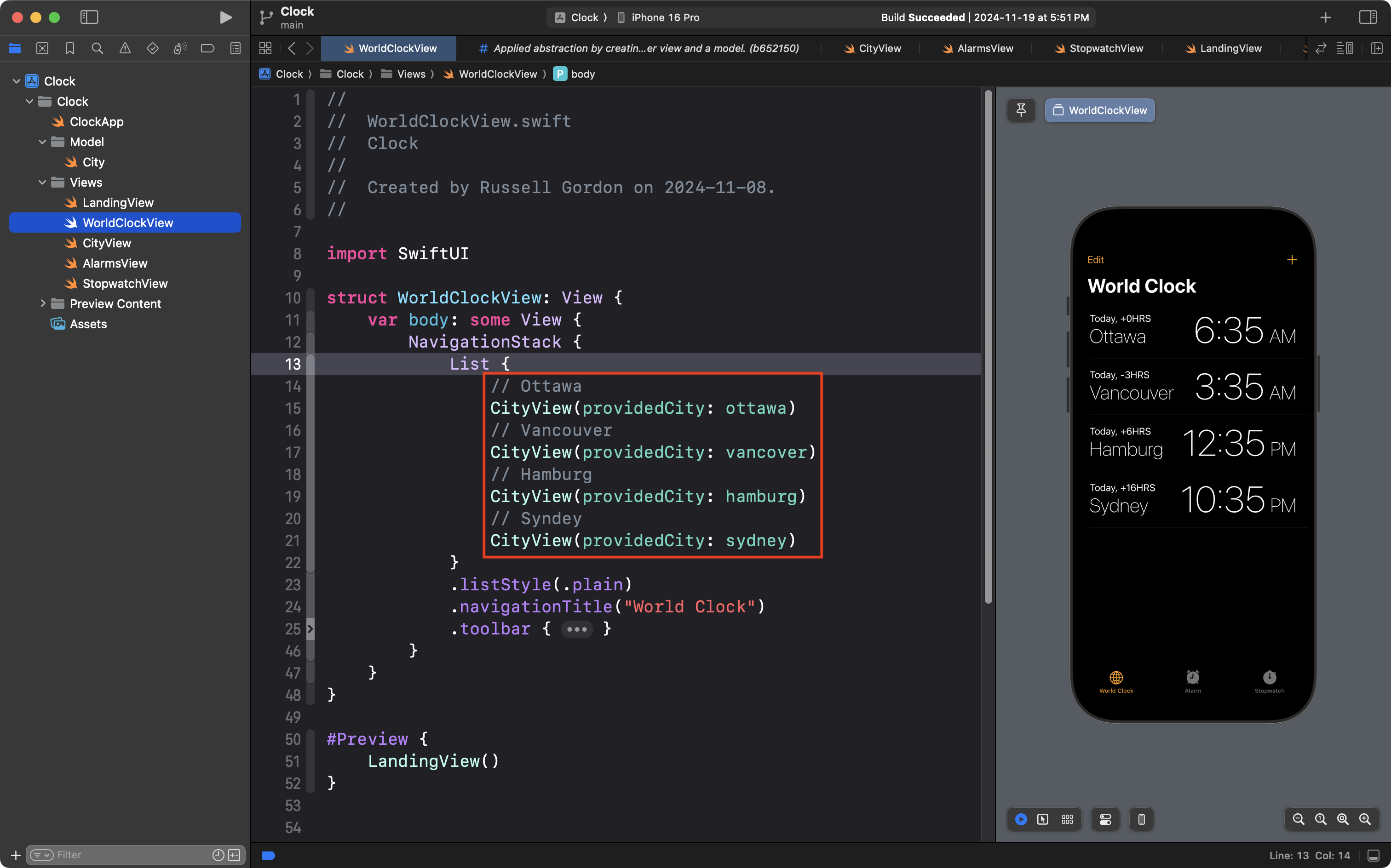
However, we are still left with a bit of repetition in our code:
The number one rule of software development is:
D.R.Y. or Don’t Repeat Yourself
So how can we make this code even cleaner?
Create a list (array)
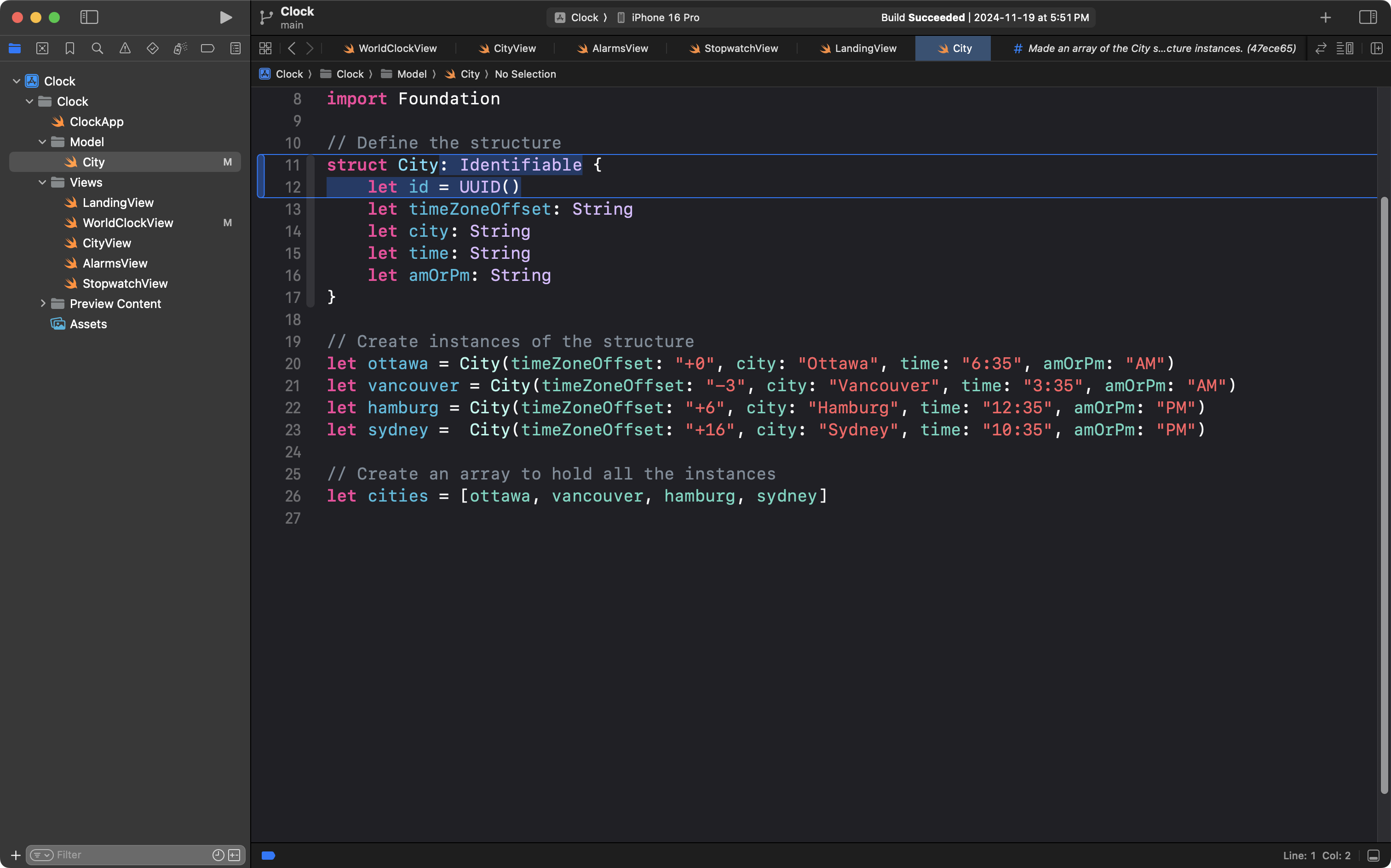
We can create a list – also known as an array – to hold all the instances of the City structure, like this:
The cities list – the cities array – now looks like this in the computer’s memory:
Index
Element
0
ottawa
1
vancouver
2
hamburg
3
sydney
There are four elements in the array. The first element has an index of 0. The fourth element has an index of 3.
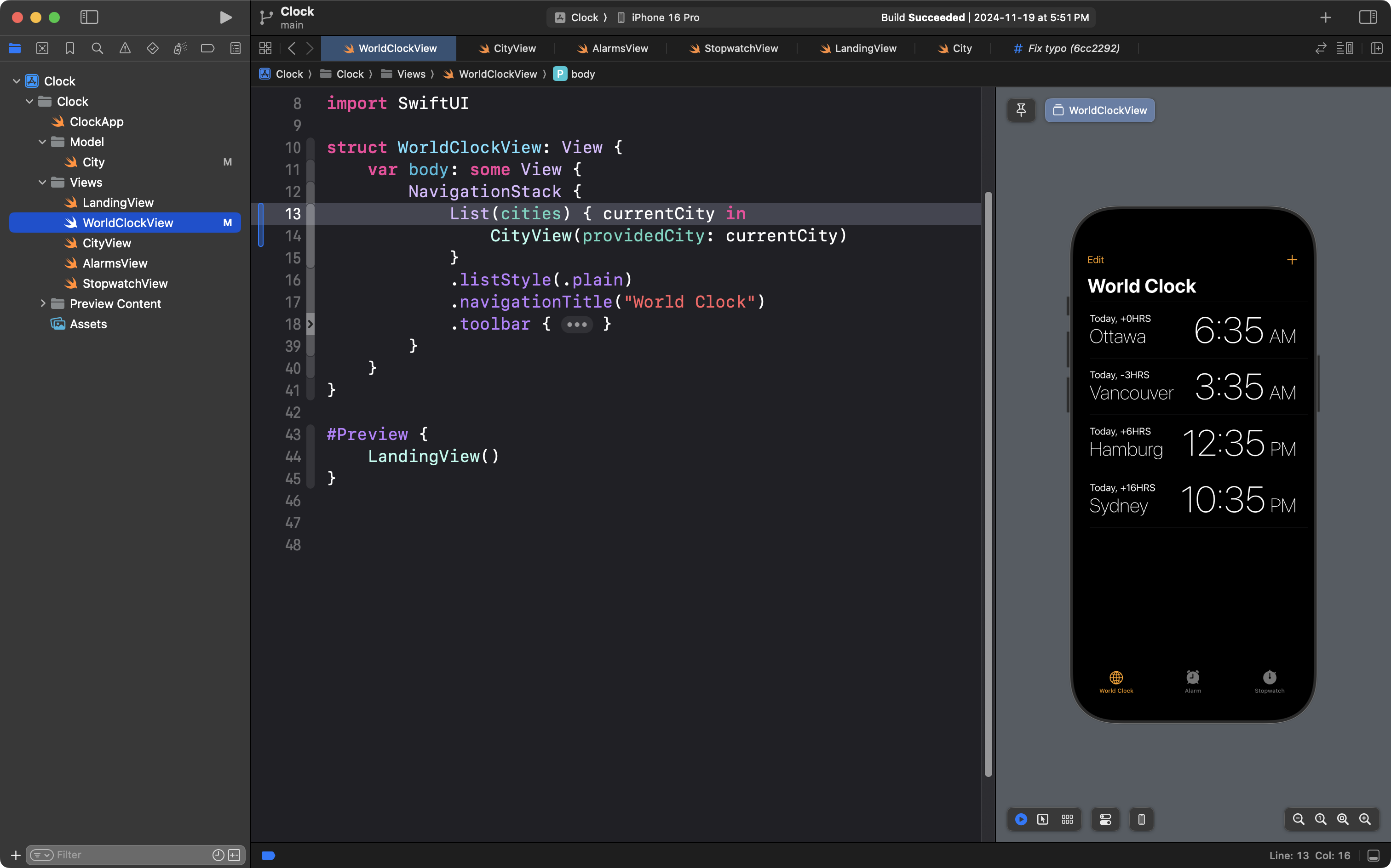
We can then modify WorldClockView so that instead of being repetitive:
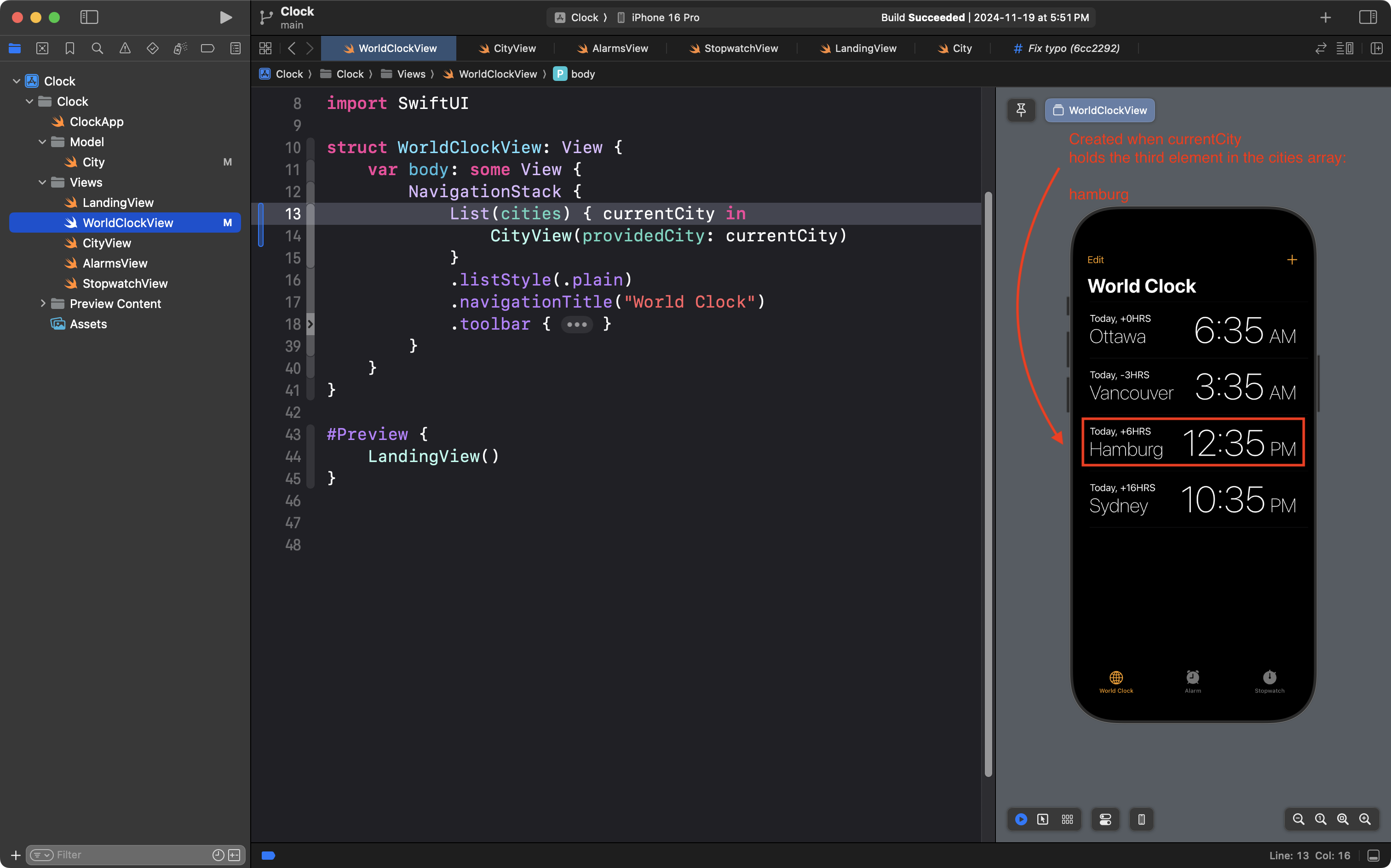
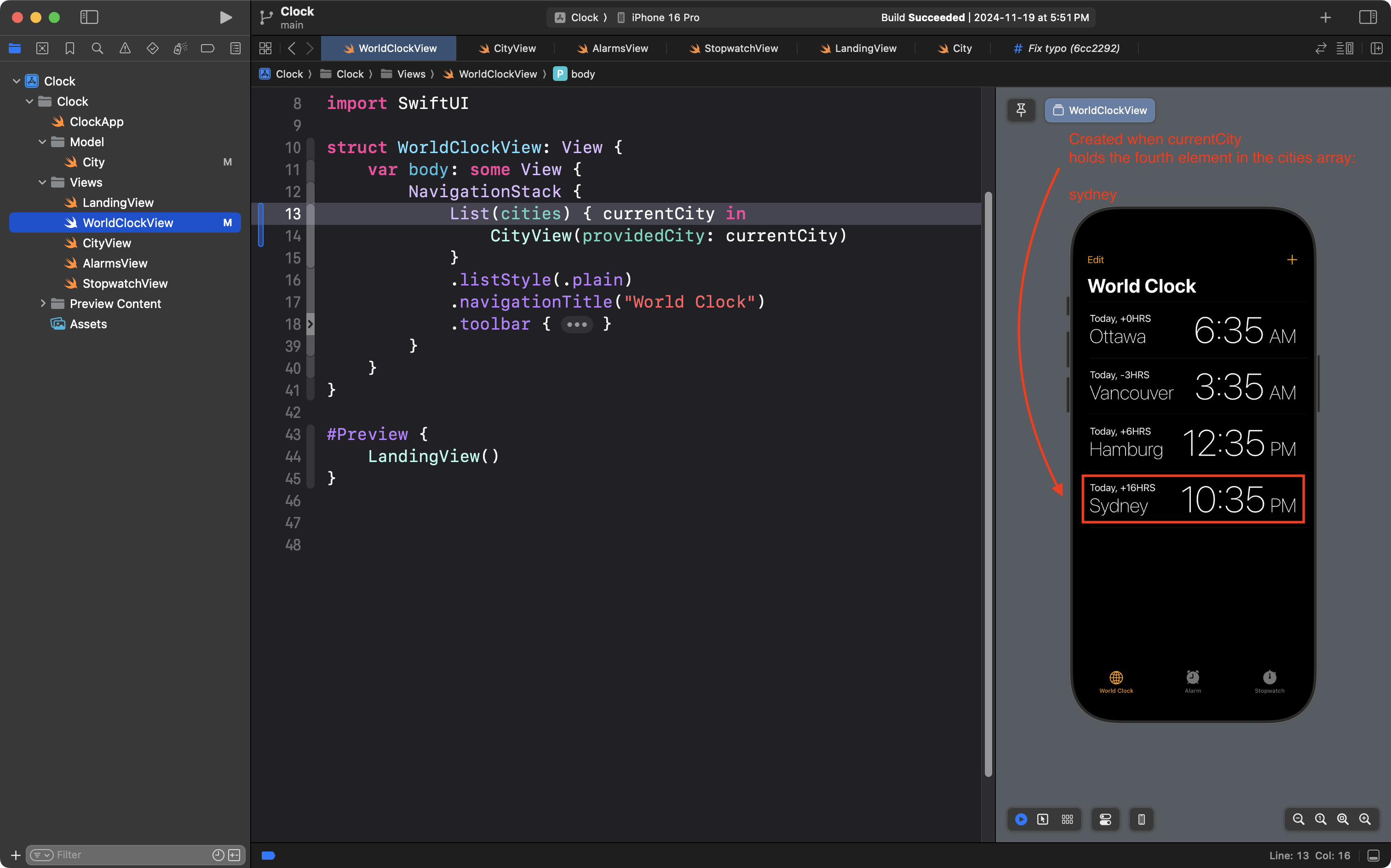
… it instead uses the List structure to iterate over all four elements of the cities array:
The visual result is still the same – we see four entries on the World Clock screen.
The CityView helper view is still created four times.
In the same way that we could loop over a simple array in a command line project, like this:
… the List structure automatically iterates just four times – since there are only four elements in the cities array.
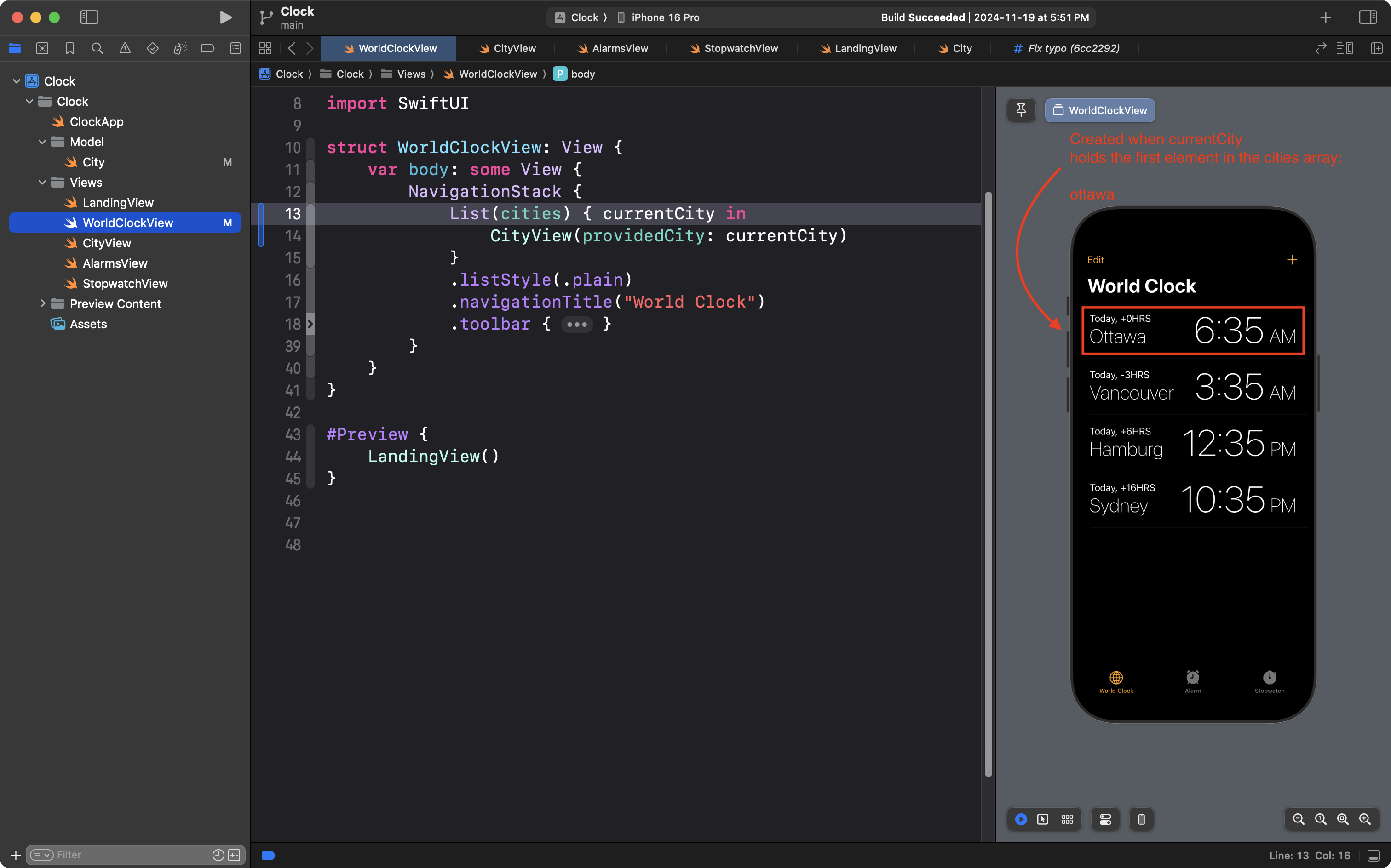
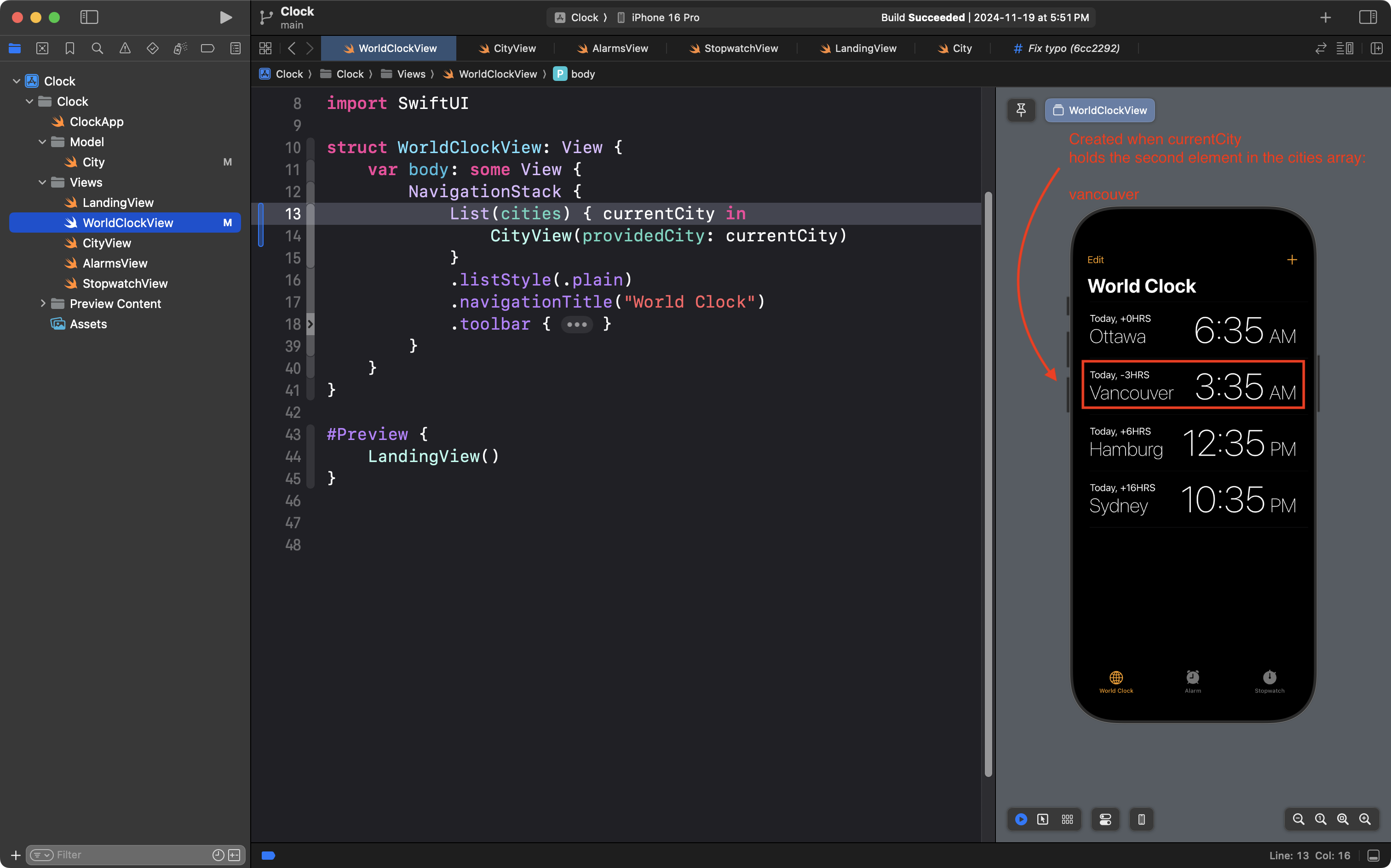
Each time the List structure iterates, currentCity holds the next city in the cities array.
First iteration:
Index
Element
0
ottawa
← currentCity
1
vancouver
2
hamburg
3
sydney
Second iteration:
Index
Element
0
ottawa
1
vancouver
← currentCity
2
hamburg
3
sydney
Third iteration:
Index
Element
0
ottawa
1
vancouver
2
hamburg
← currentCity
3
sydney
Fourth iteration:
Index
Element
0
ottawa
1
vancouver
2
hamburg
3
sydney
← currentCity
NOTE
In order for the scrollable List structure to iterate over an array of values in this way, each instance of the City structure in the example above must be made uniquely identifiable.
We do this by making the City structure conform to the Identifiable protocol:
The Identifiable protocol has one rule – a structure that conforms to the protocol must have an id property – and the value held in that property must be different than the value held in the id property of any other instance of the structure.
We achieve this by populating the id property with an instance of the UUID structure. UUID stands for universally unique identifier and produces a value something like this:
E621E1F8-C36C-495A-93FC-0C247A3E6E5F
The guarantee that Apple gives us is that each and every time we use the UUID structure, we will receive a different series of letters and numbers – a unique identifier.
A complete example
Say that we wanted to create an app to browse details of the boarding houses here at Lakefield College School:
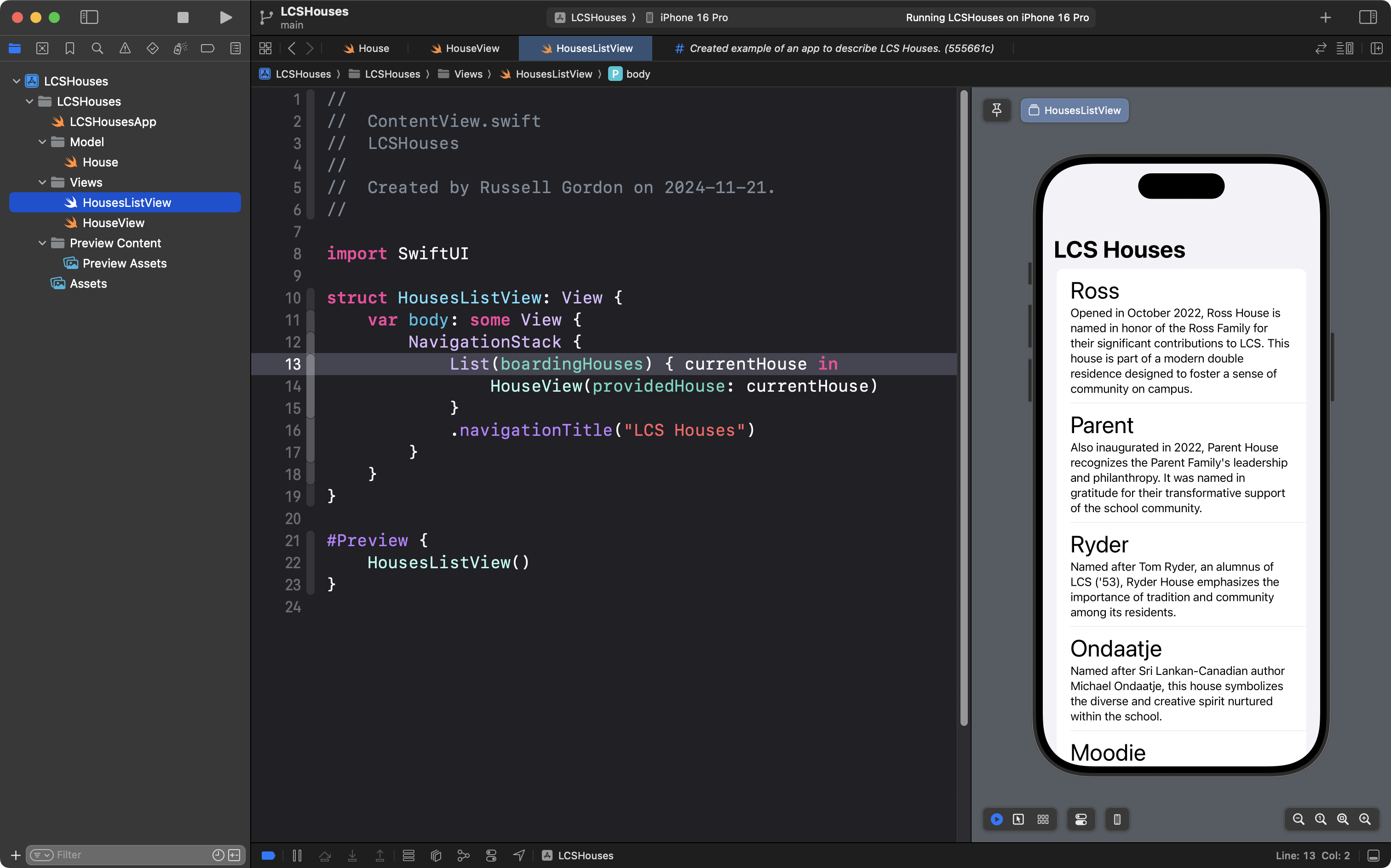
Our project would look like this when completed:
Model
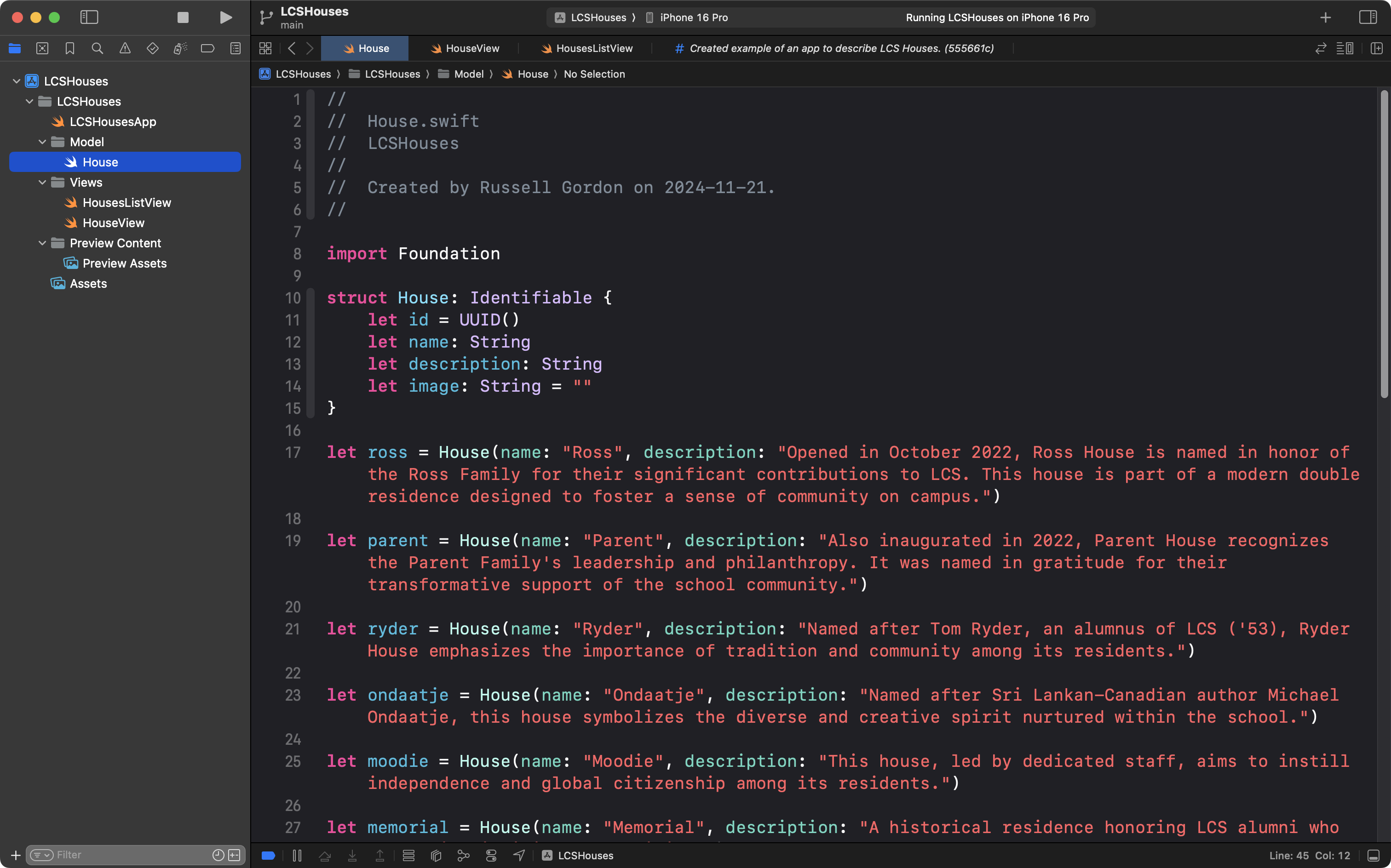
We might begin by deciding what data our app needs to show – and start with the model:
The complete code looks like this:
//// House.swift// LCSHouses//// Created by Russell Gordon on 2024-11-21.//import Foundationstruct House: Identifiable { let id = UUID() let name: String let description: String let image: String = ""}let ross = House(name: "Ross", description: "Opened in October 2022, Ross House is named in honor of the Ross Family for their significant contributions to LCS. This house is part of a modern double residence designed to foster a sense of community on campus.")let parent = House(name: "Parent", description: "Also inaugurated in 2022, Parent House recognizes the Parent Family's leadership and philanthropy. It was named in gratitude for their transformative support of the school community.")let ryder = House(name: "Ryder", description: "Named after Tom Ryder, an alumnus of LCS ('53), Ryder House emphasizes the importance of tradition and community among its residents.")let ondaatje = House(name: "Ondaatje", description: "Named after Sri Lankan-Canadian author Michael Ondaatje, this house symbolizes the diverse and creative spirit nurtured within the school.")let moodie = House(name: "Moodie", description: "This house, led by dedicated staff, aims to instill independence and global citizenship among its residents.")let memorial = House(name: "Memorial", description: "A historical residence honoring LCS alumni who served in significant capacities.")let uplands = House(name: "Uplands", description: "Uplands House is deeply rooted in fostering outdoor education and community bonding, reflective of its leadership's passion for outdoor learning.")let cooper = House(name: "Cooper", description: "Named to honor longstanding contributions to the school, Cooper House is a space of growth and challenge for students.")let matthews = House(name: "Matthews", description: "Named for its connection to a storied past at LCS, Matthews House blends tradition with modern residential life.")let grove = House(name: "Grove", description: "As a nod to the school's nickname, 'The Grove,' Grove House celebrates its rich natural surroundings and strong community spirit.")let rashleigh = House(name: "Rashleigh", description: "Rashleigh House integrates its history with a vibrant student community, led by alumni deeply connected to the school.")let colebrook = House(name: "Colebrook", description: "This house's design and ethos reflect the natural beauty and community focus of LCS.")let wadsworth = House(name: "Wadsworth", description: "A residence honoring a significant legacy within LCS, fostering inclusivity and strong relationships among students.")let boardingHouses = [ ross, parent, ryder, ondaatje, moodie, memorial, uplands, cooper, matthews, grove, rashleigh, wadsworth]
Helper view
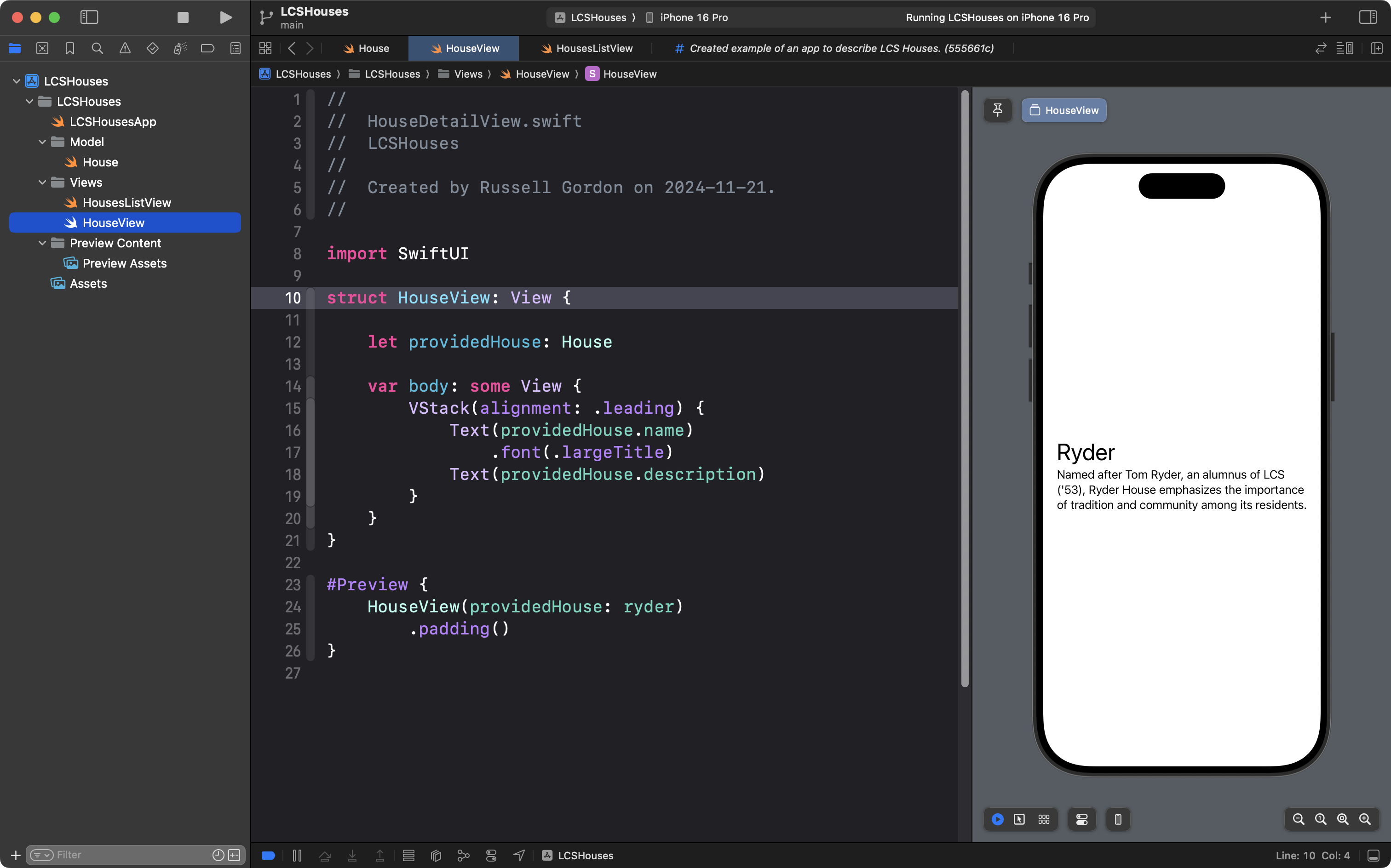
We might then create a helper view, to show an entry for a single house:
The complete code for that view looks like this:
//// HouseDetailView.swift// LCSHouses//// Created by Russell Gordon on 2024-11-21.//import SwiftUIstruct HouseView: View { let providedHouse: House var body: some View { VStack(alignment: .leading) { Text(providedHouse.name) .font(.largeTitle) Text(providedHouse.description) } }}#Preview { HouseView(providedHouse: ryder) .padding()}
The scrollable list
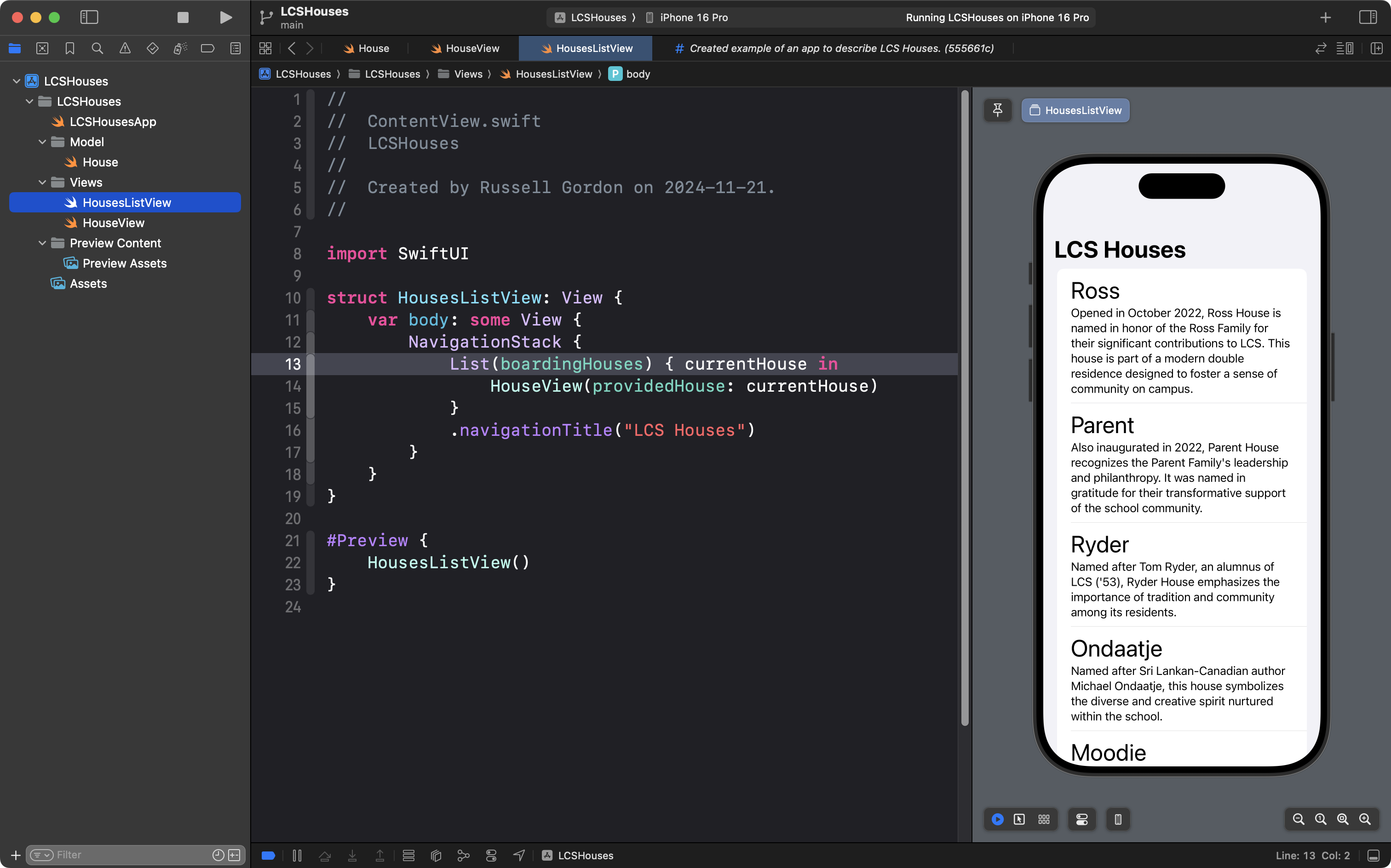
We’d then finish by creating a view that shows a scrollable list, and uses the List structure to iterate over the elements of the boardingHouses array:
The complete code for that view is here:
//// ContentView.swift// LCSHouses//// Created by Russell Gordon on 2024-11-21.//import SwiftUIstruct HousesListView: View { var body: some View { NavigationStack { List(boardingHouses) { currentHouse in HouseView(providedHouse: currentHouse) } .navigationTitle("LCS Houses") } }}#Preview { HousesListView()}
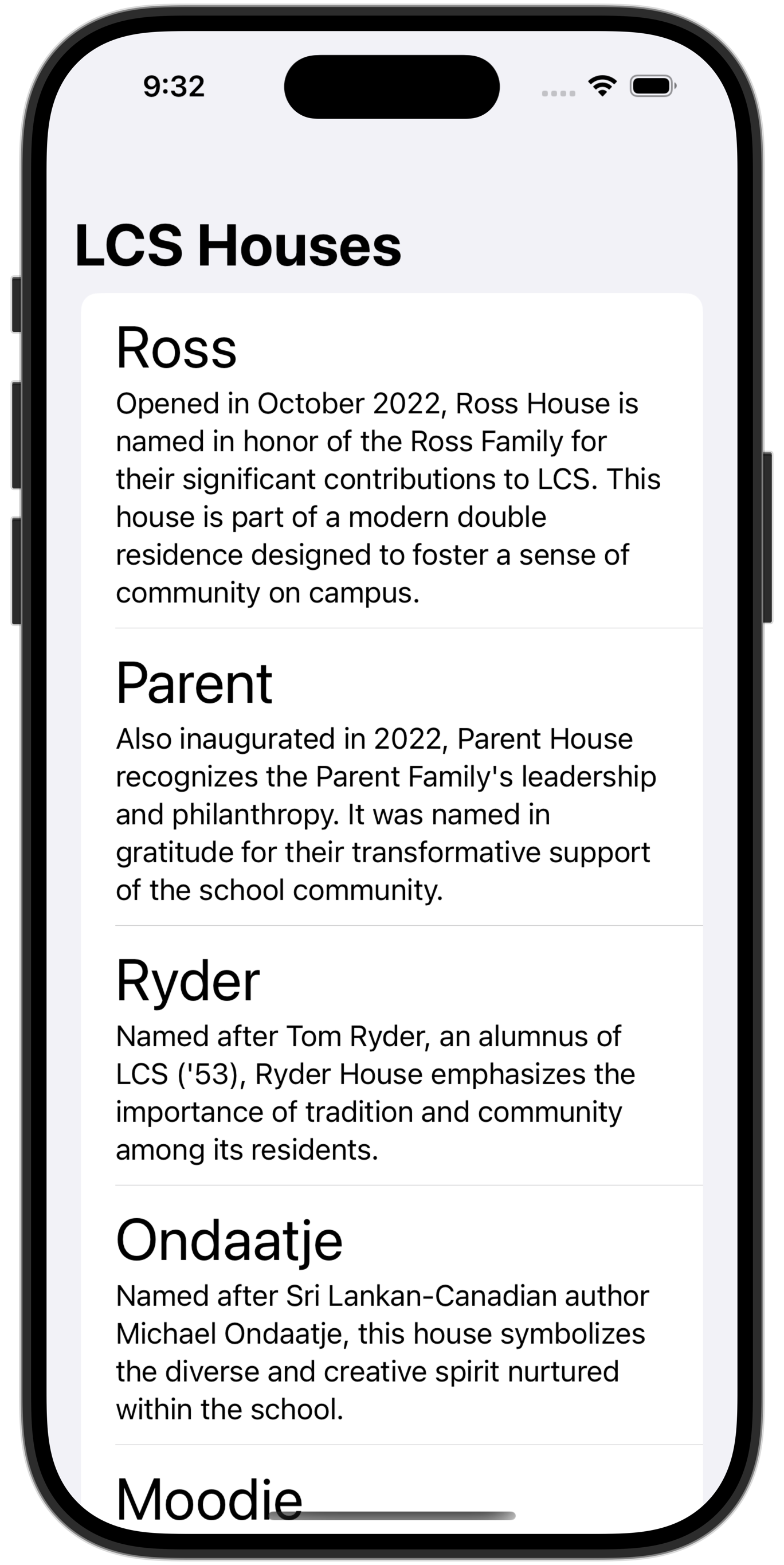
This produces an app that applies abstraction through the use of a helper view and the use of an array (a list) to avoid repetitive code.
The app works like this when completed:
Exercise
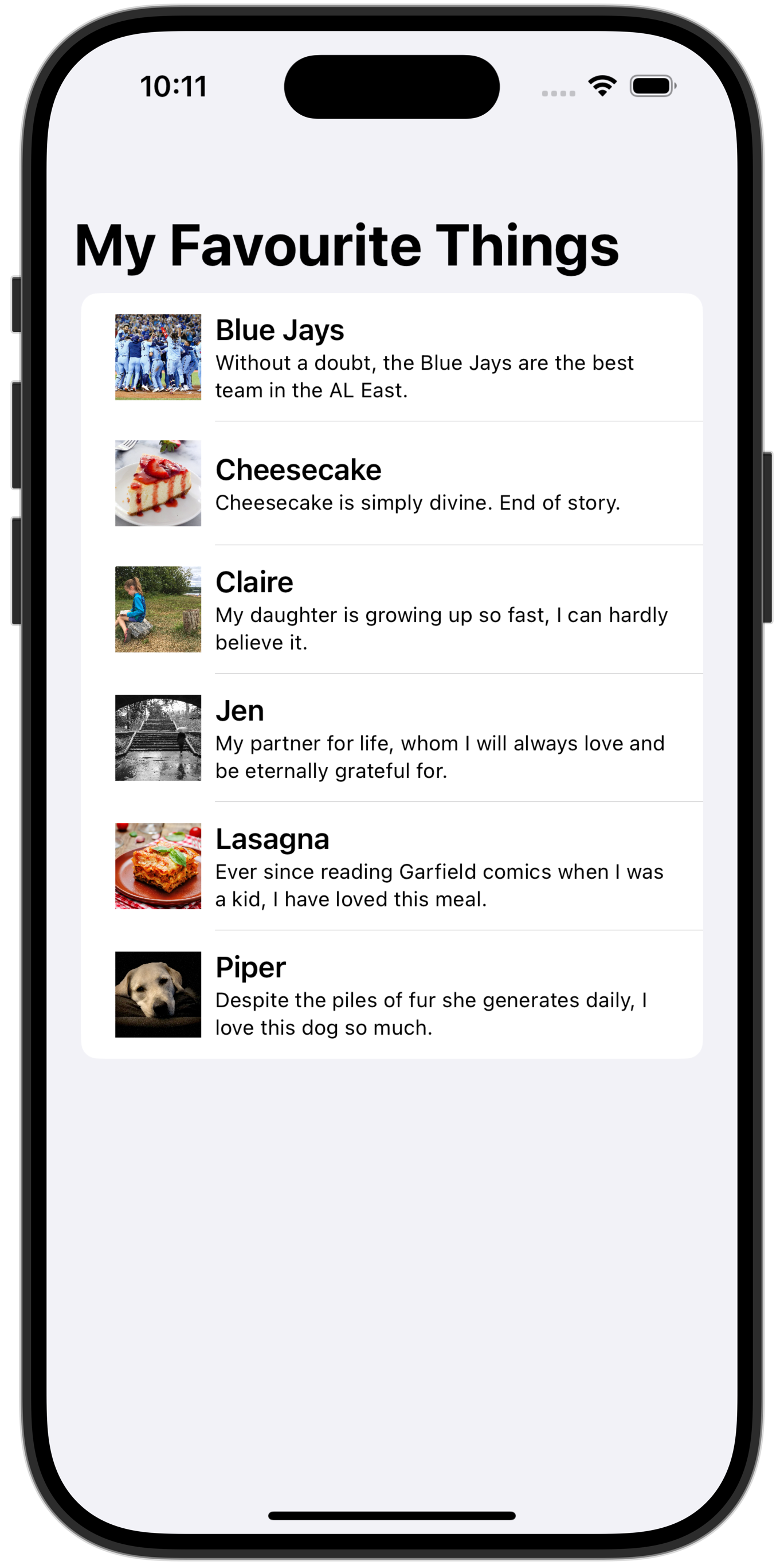
Create a project named FavouriteThings that lists up to six of the things or people you are most grateful for in your life:
Be sure to create a remote and then commit and push your work often while working on this exercise.
TIP
To show a thumbnail of a larger image, you can use code with view modifiers as shown: