At the level of hardware and electricity, a computer only understands high voltage and low voltage.
High voltage, or on, corresponds to a 1.
Low voltage, or off, corresponds to a 0.
Computers use the abstraction of binary numbers to represent numeric values.
How these 1’s and 0’s are stored at a physical level varies depending on the storage medium.
For example, in a compact disc pits and lands are used to register 1’s or 0’s.
Bits
A bit is a single piece of information – literally a 1 or a 0.
As we just learned, we can use the abstraction of the base 2 number system to represent numbers in base 10.
Four bits can represent a minimum of zero:
| Value expressed as a power | ||||
|---|---|---|---|---|
| Value expressed in standard form | ||||
So,
Four bits can represent a maximum of fifteen:
| Value expressed as a power | ||||
|---|---|---|---|---|
| Value expressed in standard form | ||||
So,
Variables, Constants, Data Types
In your playground, the default code provided is:
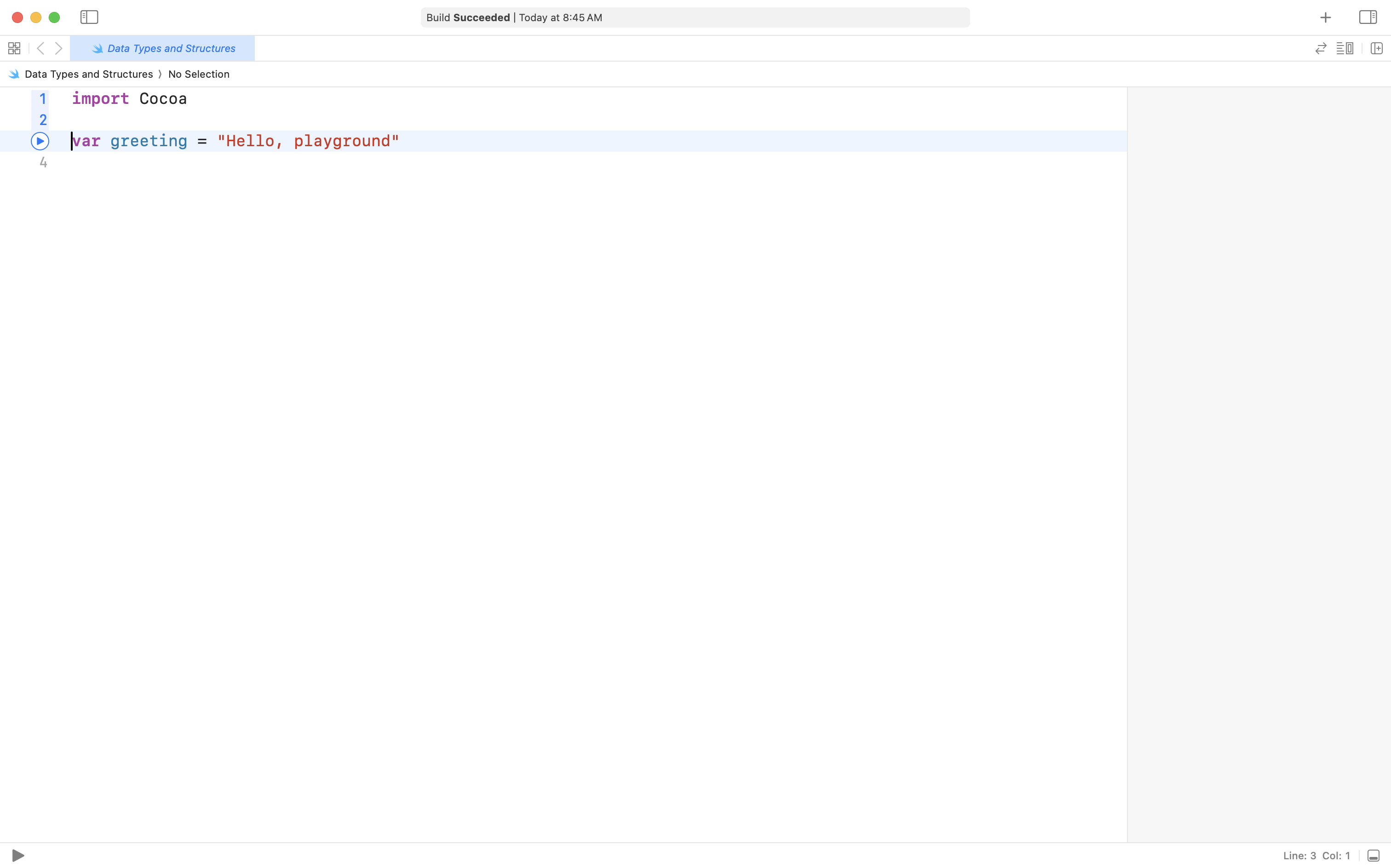
Run your playground by clicking the button in the lower left corner, or by pressing Command-Shift-Return on your keyboard.
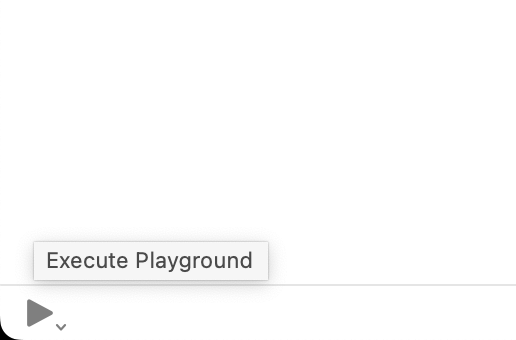
After a few seconds – it takes a bit longer the first time you run a playground – you will see results appear in the sidebar:

This code creates a variable named greeting.
A variable can hold a single value at a time.
The variable named greeting holds the value Hello, playground.
Now hold down the Option key on your keyboard.
Position your cursor over the greeting text.
You will see a question mark appear.
Click the trackpad or your mouse button.
Xcode will tell you the data type of the greeting variable is a string:
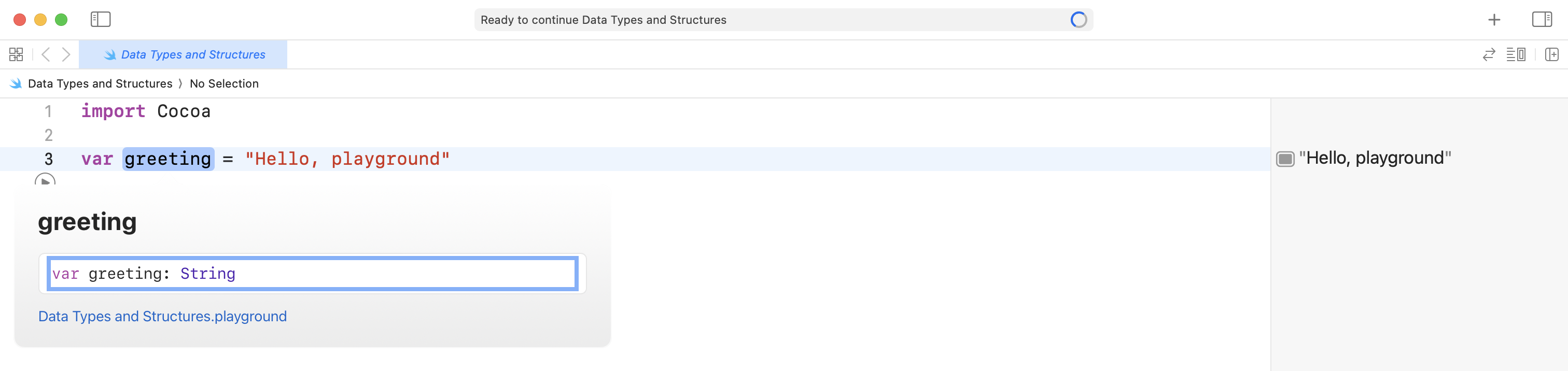
A string is a programming term for a data type that holds text.
In Swift, strings are always surrounded by quotes – they must begin and end with a ".
Add the following code to your playground to express your age – my age will be a little greater than yours:
let age = 46This creates a constant named age.
Option-click the age constant.
Swift reports the data type as an integer, or Int:
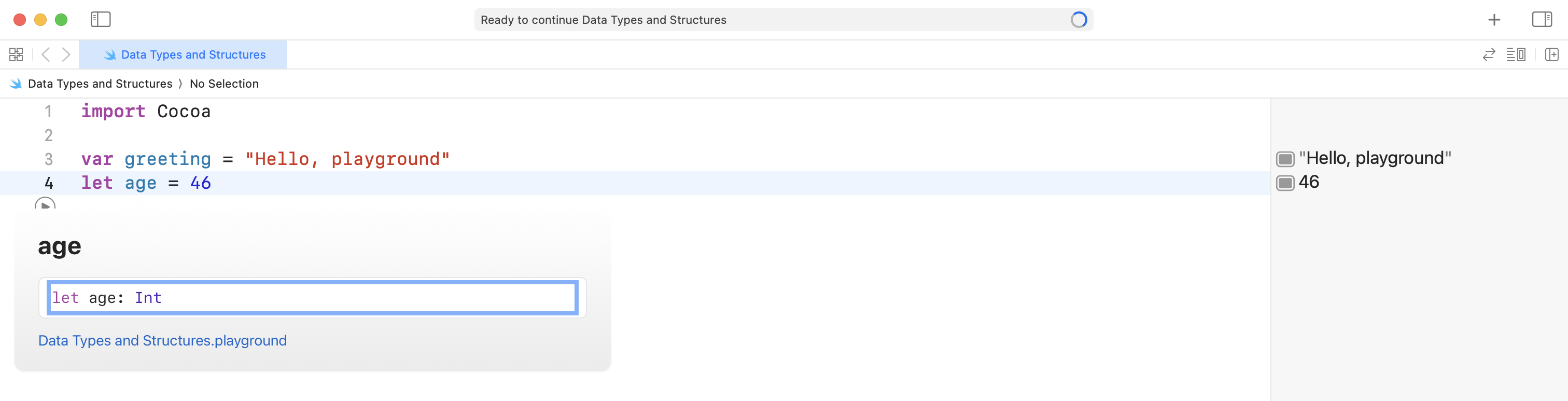
In Swift, on modern computers, an Int is stored using sixty-four bits!
One bit is used to store the sign – that is, whether the number is positive or negative.
That leaves sixty-three bits to represent a range of values from -9,223,372,036,854,775,808 and 9,223,372,036,854,775,807.
To be clear, an Int in Swift is stored this using the very same system of abstraction for binary numbers that we just explored. The only difference is that one bit is used to store the sign to mark a value as being positive or negative.
Try celebrating a birthday by adding one to the age constant:
let age = 46
age += 1
Does this work? It does not, because we cannot change a constant value:

You can comment out the code that tries to change the age like this:
let age = 46
//age += 1
Now the code is still there for us to read, but the computer will ignore it.
Finally, add the following code to your playground to represent an imaginary bank balance:
var balance = 1_000_000.49Run your code and Option-click it to find it’s data type:

The Double data type stores numeric values that contain decimals. More on how this works later in the course.
SUMMARY
A variable is a place to store a single value that is allowed to change in the future.
A constant is a place to store a single value that is not allowed to change in the future in our code.
The three main data types we will use, at first, are:
String,Int, andDouble.