Say that you want to draw a triangle like this:
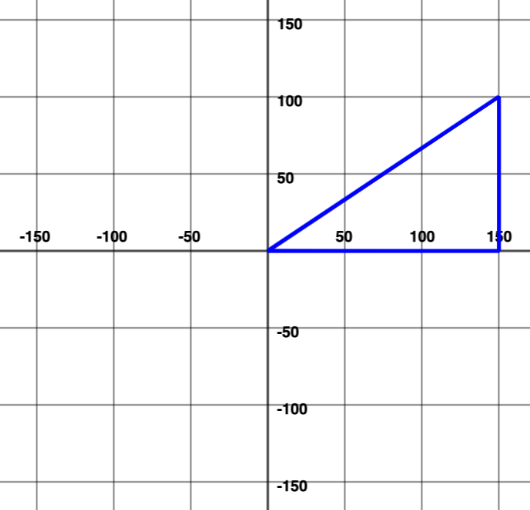
You could do this by moving the turtle forward and turning.
Drawing the horizontal and vertical edges would be easy.
Drawing the diagonal is harder. How long should the edge be? By how many degrees would the turtle have to turn?
If you have studied trigonometry, you know this can be relatively easily figured out.
However, using sine, cosine, or tangent ratios is just a bit too much work to do every time we want to draw a diagonal.
So… the turtle drawing framework has a shortcut. It is the diagonal command:
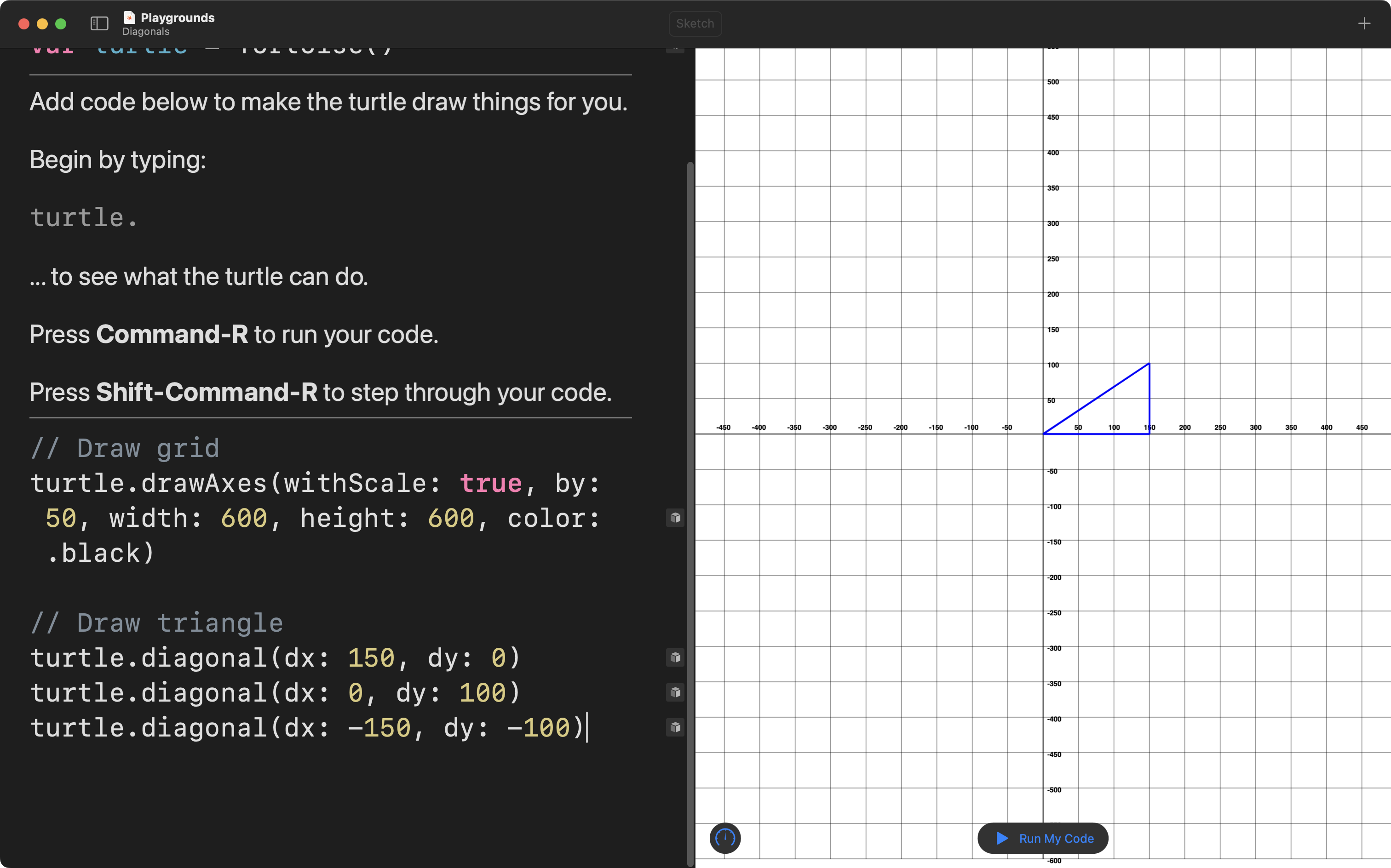
Here is how it works – watch the animation closely:
In more detail, here is an explanation:
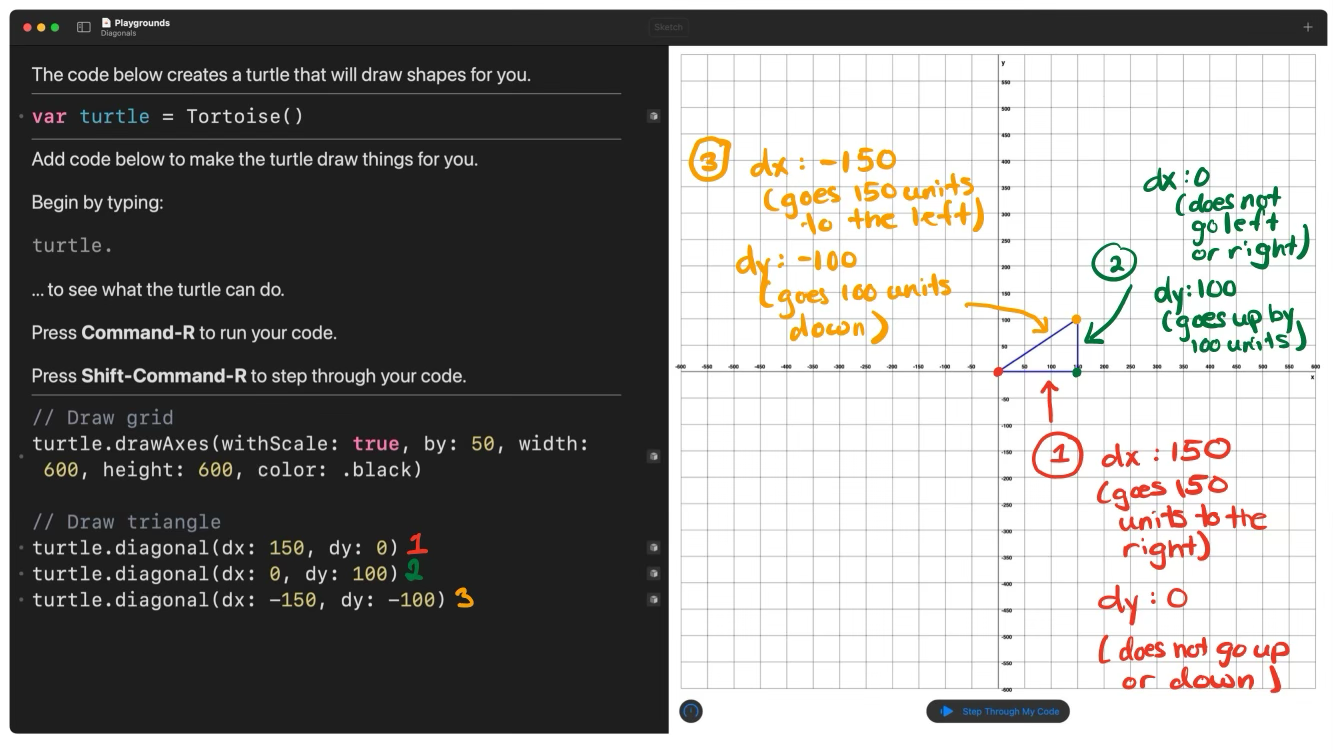
To summarize, with a few more examples:
| direction | argument | result |
|---|---|---|
| right | dx: 100 | goes 100 units to the right, relative to current position |
| left | dx: -100 | goes 100 units to the left, relative to current position |
| up | dy: 100 | goes 100 units upwards, relative to current position |
| down | dy: -100 | goes 100 units downwards, relative to current position |