The challenge
Work with a partner using the Driver-Navigator Pattern.
Say that you are writing an app whose audience is a family that cares for at least one dog.
The purpose of the app is to allow a family to know for sure whether the dog(s) in their family have been fed according to the usual daily schedule for each dog.
The beneficial effect of the app is to ensure that a dog does not go without food:

… as well as to ensure that a dog does not get fed twice by mistake – at least not too often!

What might this user interface of this app need to look like?
Begin by listing requirements (necessary features) of the app in point-form.
Then prioritize these features by importance, with the most important feature listed first.
Finally, use Keynote with your partner to make a rough interface for what this app would look like.
In our next class, part-way through our period, we will share interfaces that groups came up with.
The purpose of this activity is to practice translating features into a usable interface, and to get familiar with how to use Keynote to create a mockup of an application.
Feedback and revision
Today, we will practice this virtuous cycle, as described in the 60 Second Prototyping video from last class:
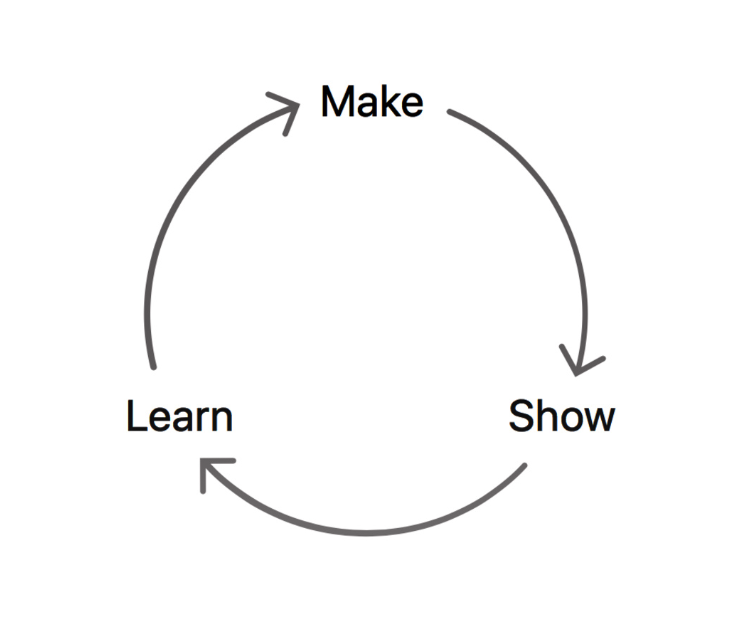
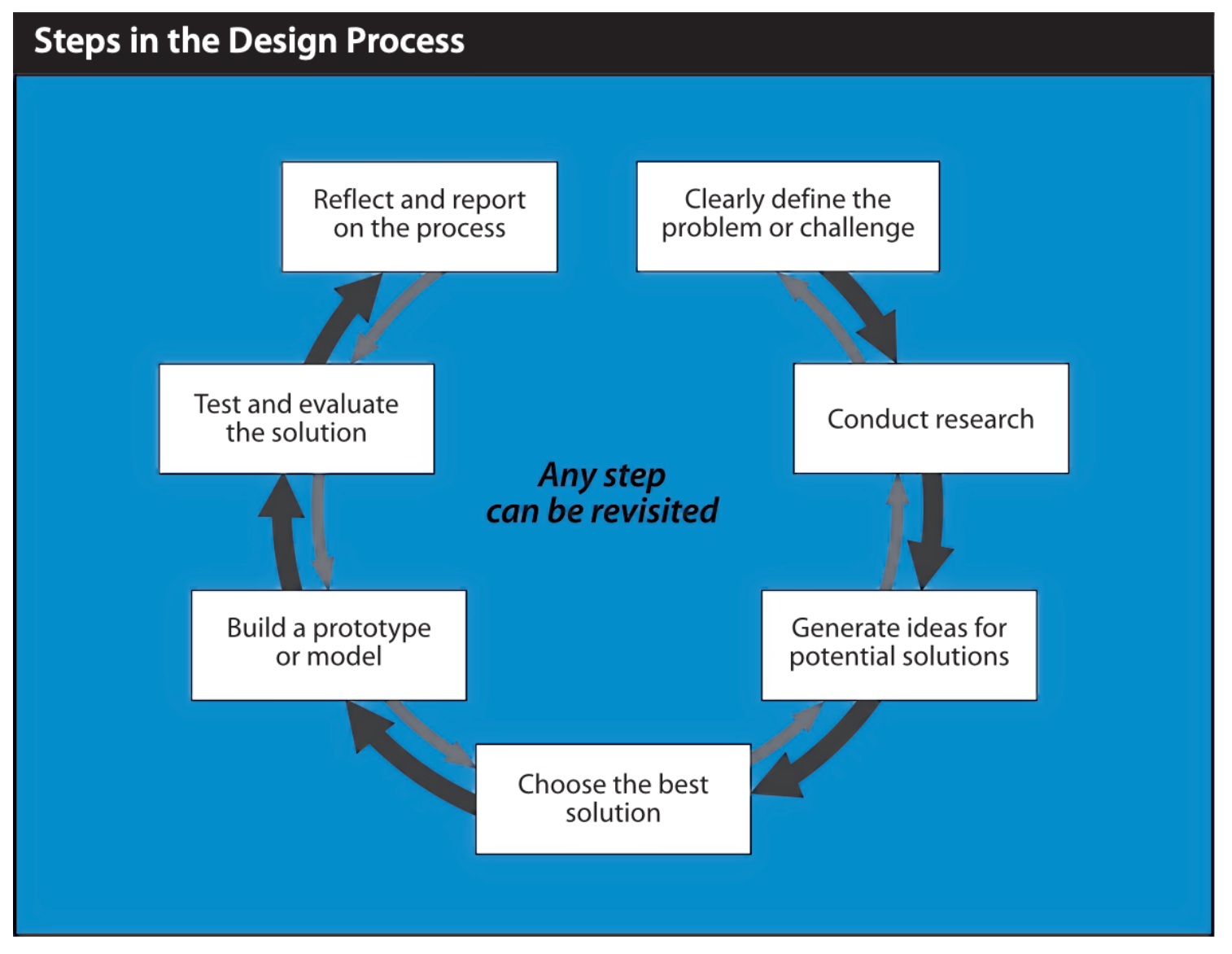
You may have noticed – that is a simplified version of the Design Process diagram from our course outline:
Share original work in portfolio
Take 5 minutes and be certain images of your group’s current prototype are in your portfolio post for yesterday’s class.
NOTE
Also please upload the Keynote file for your group to each person’s portfolio on Notion. Mr. Gordon will use these for the next step.
Share original work with class
Next, each group will have a maximum of 2 minutes to present their prototype from Mr. Gordon’s computer.
The class will provide feedback.
Make improvements
Finally, your group has 40 minutes to make changes based on the feedback you have received.
In your post for today’s class:
- Be sure to document the feedback received yesterday.
- To upload new screenshots of your group’s prototype and the revised Keynote file.
Additional resources
You may find these these iOS Design elements useful. Here is a sampling of what these elements look like:
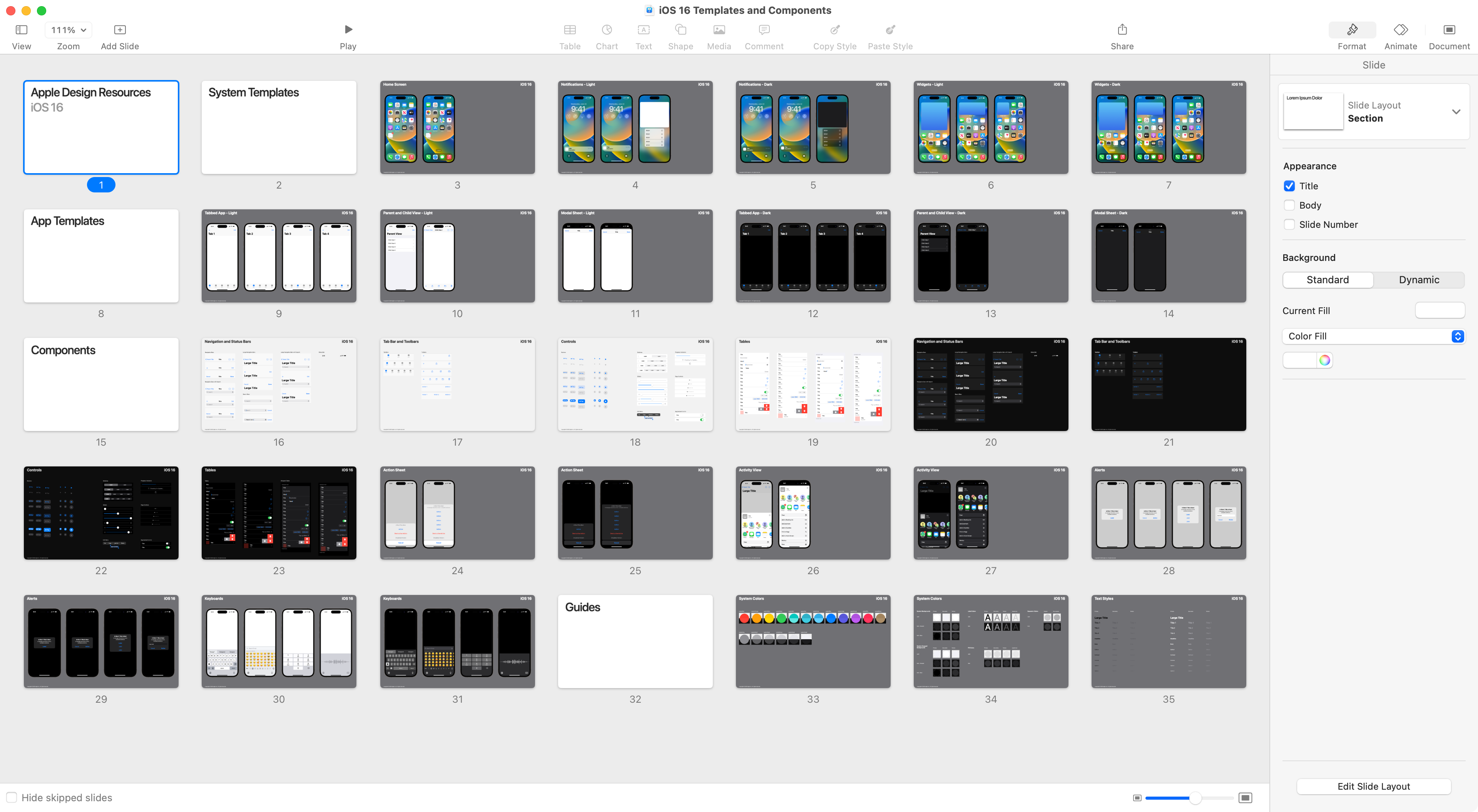
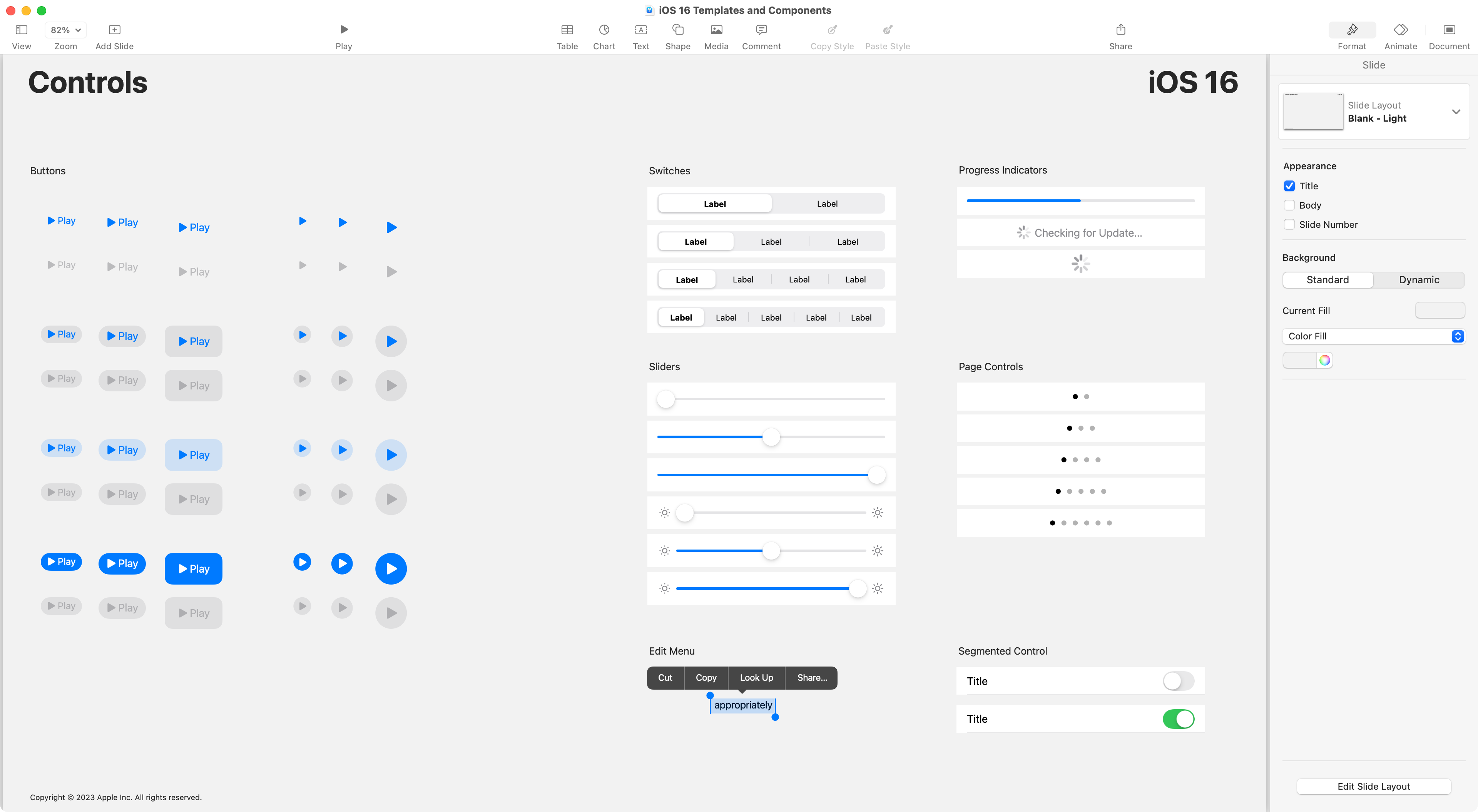
You can copy-and-paste design elements, as needed, into your group’s prototype.
TIP
Be careful!
Although the design elements are fun to use, when making a prototype, remember that your prototype does not need to be “pixel perfect”.
The goal is to get feedback quickly, to make improvements quickly, to be sure that when you start to write code, you will be implementing an idea that will work and is fully thought through.